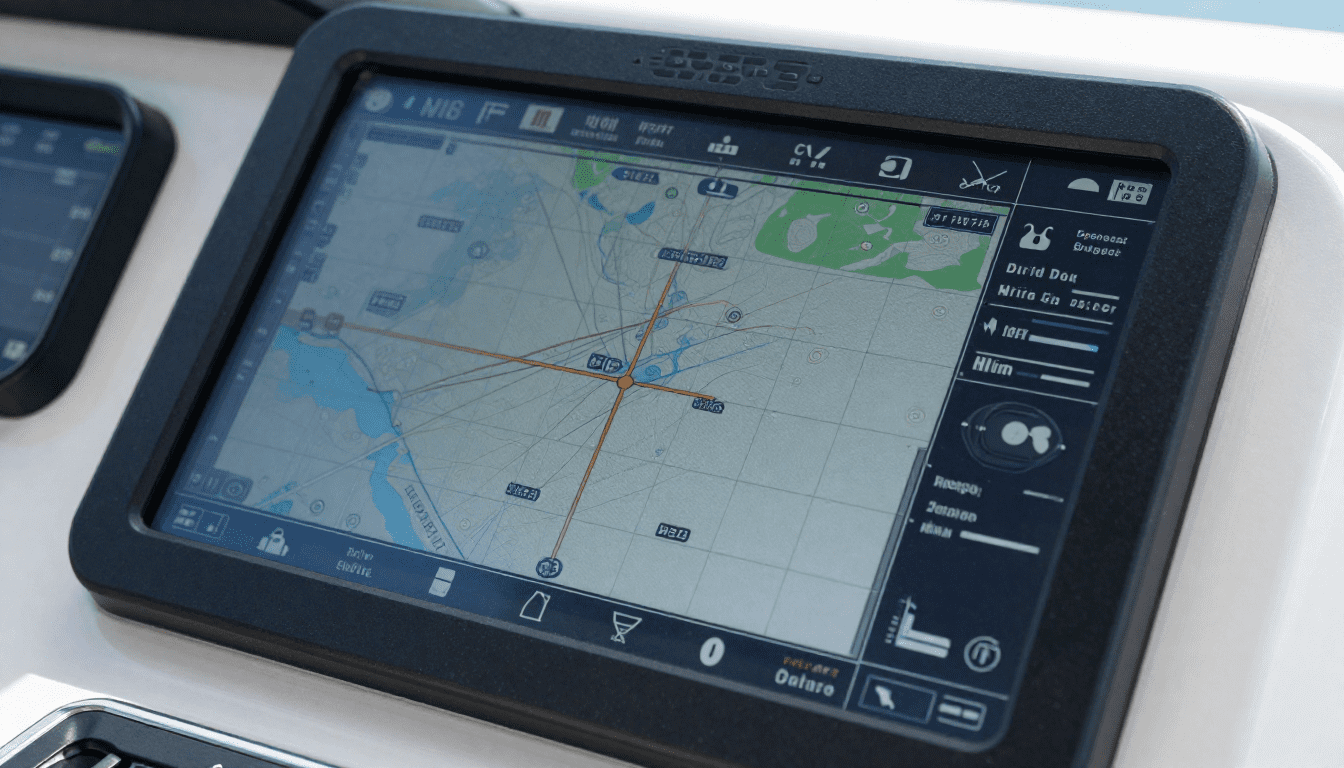
Best GPS Chartplotters & Fishfinders for 2026: What Actually Works
I spent my first three years of boat ownership relying on my phone for navigation. It worked fine until the day I lost signal in the middle of a bay I didn’t know well. The sun was setting, I had no idea which channel markers to follow, and my phone was useless.
That expensive lesson taught me something important. A real GPS chartplotter isn’t a luxury. It’s basic safety equipment that also happens to make boating way more fun.
After installing my first unit and seeing what I’d been missing, I upgraded to a combo unit with fishfinding. Game changer. I found more fish in one weekend than I had in the previous year.
Let me walk you through what actually matters when choosing these units and which ones are worth your money.
Why Your Phone Isn’t Good Enough
Look, I get it. Your phone has GPS. There are decent marine apps. Why spend hundreds on a dedicated unit?
Because phones fail exactly when you need them most. The screen is impossible to see in bright sunlight. They overheat. Batteries die. And when you lose cell signal, most navigation apps stop working or won’t load new map data.
A real marine chartplotter is waterproof, built for sun glare, and has maps stored locally. It won’t quit on you when you’re trying to navigate through fog or find your way back to the marina after sunset.
Plus, a combo unit shows you what’s under your boat in real time. Fish. Structure. Depth changes. Bottom composition. Your phone can’t do any of that.
Chartplotter vs Fishfinder vs Combo Units
Let’s clear up the confusion about what these things actually do.
GPS Chartplotter
This shows your position on a nautical chart. Think Google Maps, but for water. You see depth contours, channel markers, hazards, marinas, and your exact location. Most units let you mark waypoints, create routes, and track where you’ve been.
If you just cruise and don’t care about fishing, a chartplotter-only unit might be all you need.
Fishfinder
This uses sonar to show what’s under your boat. Traditional sonar sends a cone-shaped beam straight down. You see fish, structure, bottom hardness, and depth.
Modern fishfinders add side imaging and down imaging, which basically give you a picture of what’s beside and below your boat. It’s like having underwater eyes.
Combo Units
These combine GPS navigation and fishfinding in one screen. You can split the display to see charts on one side and sonar on the other, or switch between them with a button.
For most boaters, a combo unit makes the most sense. You get both tools without needing two separate screens on your dash.
The GPS Chartplotters and Fishfinders We Actually Recommend
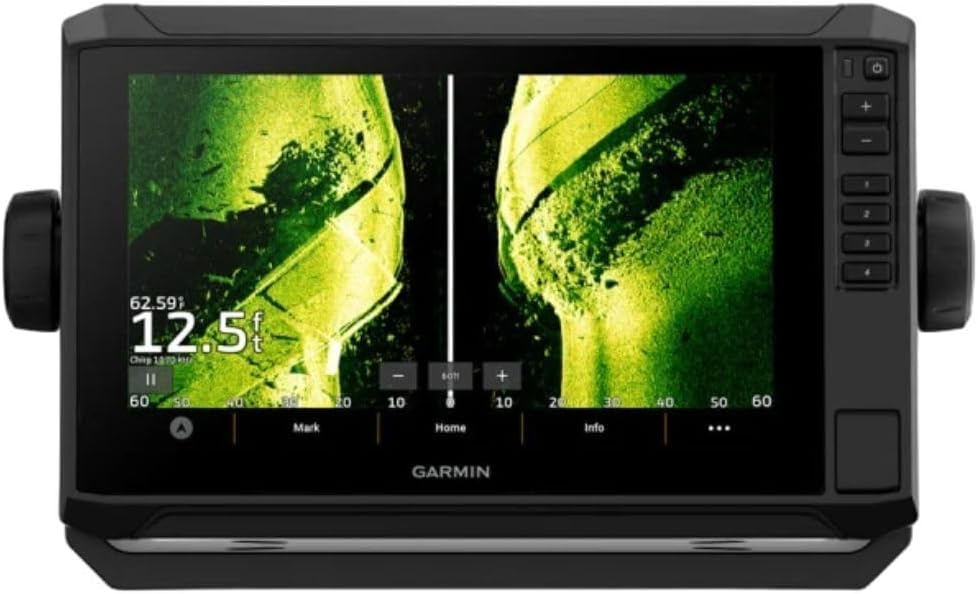
Best Overall: Garmin ECHOMAP UHD2 93sv
This is the unit I run on my boat, and it’s the one I recommend to almost everyone who asks. The 9-inch screen is big enough to see details without taking over your entire dash. The display is crystal clear even in direct sunlight, which matters more than you’d think.
What sold me was the ClearVü and SideVü scanning sonar. You get insanely detailed images of structure and fish. I can see individual rocks, sunken trees, and baitfish schools. Finding productive spots went from guesswork to actually knowing what’s down there.
Why this one’s worth it:
- 9-inch touchscreen that works with wet or gloved hands
- Preloaded charts for coastal and inland waters
- CHIRP traditional sonar plus ClearVü and SideVü imaging
- Easy waypoint marking with one button
- Includes transom-mount transducer
- Connect your phone via WiFi to get notifications on screen
The interface makes sense. You don’t need to read a manual to figure out basic functions. Creating waypoints takes one press. Switching between chart and sonar views is instant.
Real talk: It’s not cheap, but you’re getting a unit that’ll last 10+ years and won’t frustrate you every time you use it.
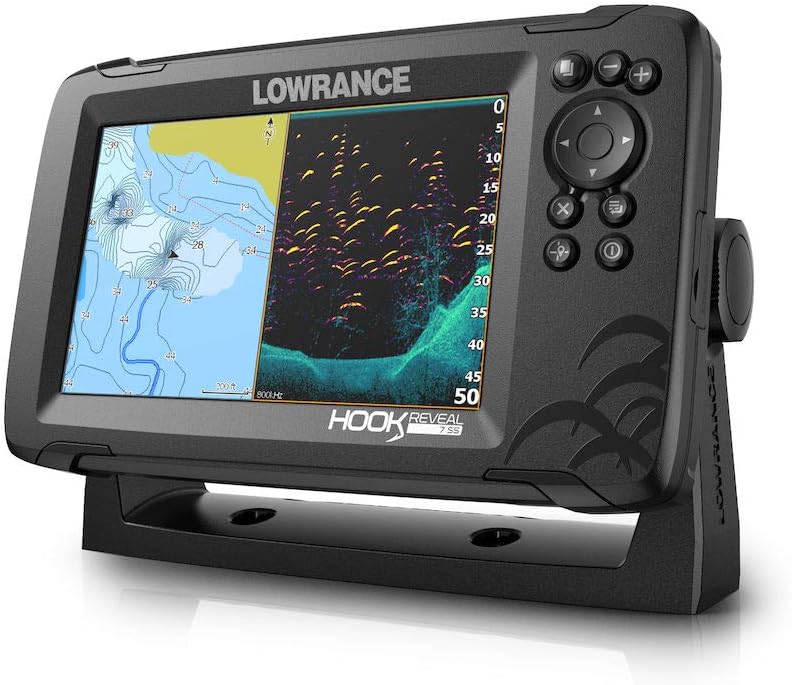
Best Budget Option: Lowrance HOOK Reveal 7 SplitShot
Not everyone needs to spend a grand on marine electronics. The HOOK Reveal gives you solid performance for about half the price of premium units.
My fishing buddy runs this on his center console. The FishReveal feature combines traditional sonar with DownScan imaging on one screen. Fish show up highlighted in color, making them stupid easy to spot. Perfect if you’re still learning to read sonar.
The 7-inch screen is smaller but plenty readable. The Genesis Live mapping is genuinely useful. It creates contour maps of any water you run over, even lakes that don’t have detailed charts available.
What you get:
- 7-inch SolarMAX display (readable in bright sun)
- TripleShot transducer with CHIRP, SideScan, and DownScan
- FishReveal makes fish identification idiot-proof
- Basic charts included, decent for most inland waters
- Autotuning sonar (adjusts settings automatically)
The catch: Coastal charts aren’t as detailed as Garmin or high-end Lowrance units. For inland lakes and rivers, you’re fine. For serious coastal navigation, consider upgrading the charts or stepping up to a better unit.
Best for: Weekend anglers, inland boating, smaller boats, or anyone getting started with marine electronics.
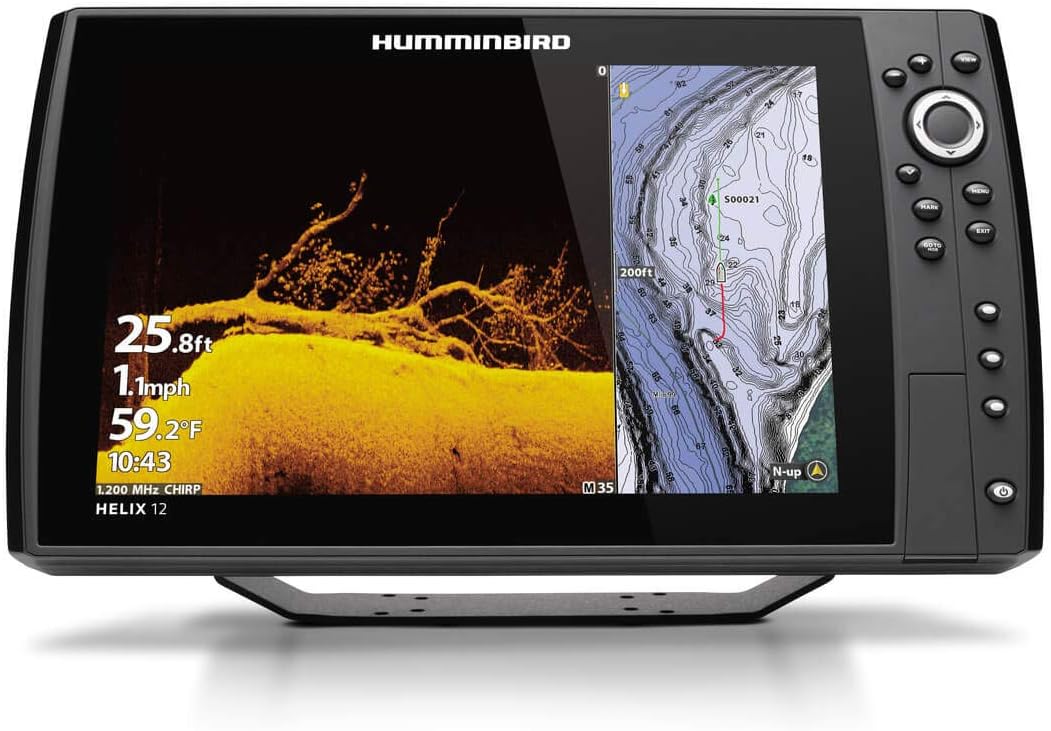
Best for Serious Anglers: Humminbird HELIX 12 CHIRP MEGA SI+ GPS G4N
If fishing is your main thing and you want the absolute best imaging available, Humminbird’s MEGA imaging blows everything else away. The detail is actually ridiculous.
I’ve seen this unit in action on a tournament bass boat. You can see individual fish suspended 40 feet down. You can tell the difference between a rock pile and a brush pile. You can spot baitfish clusters from way farther away than standard imaging.
The 12-inch screen gives you room to run split screens without everything being tiny. Three panels side by side is totally usable. Chart on the left, down imaging in the middle, side imaging on the right.
Why tournament guys use this:
- MEGA Side Imaging scans 125 feet to each side
- MEGA Down Imaging shows incredible bottom detail
- Dual Spectrum CHIRP traditional sonar
- 12.1-inch HD display with multiple view options
- AutoChart Live creates your own custom maps
- Ethernet networking for multi-unit setups
The AutoChart Live feature is super cool. It maps any water you run, creating custom contour maps that are often better than what you can buy. Perfect for finding subtle depth changes that hold fish.
Real talk: This is overkill for casual boating. But if you fish competitively or just really love finding fish, the imaging quality justifies the price.
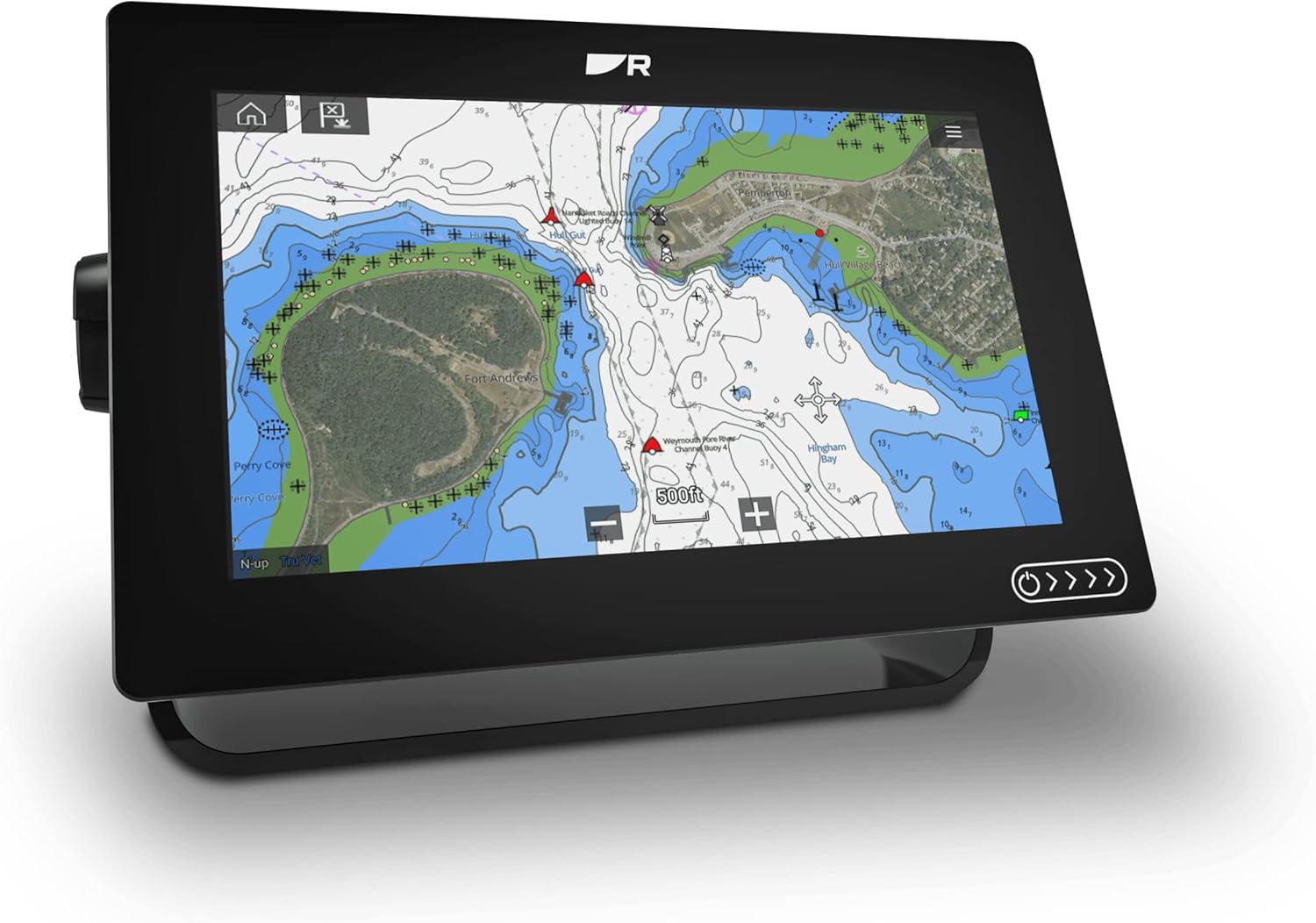
Best for Cruising: Raymarine Axiom+ 9
If you do more cruising than fishing, Raymarine makes the best navigation-focused units. The Axiom series has the cleanest, most intuitive interface I’ve used.
My brother runs an Axiom on his express cruiser. The chart clarity is outstanding. Navionics charts come preloaded and they’re fantastic for coastal navigation. Auto-routing works really well for planning trips.
The RealVision 3D sonar is more about navigation than fishing. It builds a 3D view of the bottom around your boat, which helps you understand anchorages and spot hazards. Way easier than trying to visualize depth contours on a 2D chart.
Standout features:
- 9-inch glass bridge touchscreen (super responsive)
- Navionics+ charts for US coastal and inland waters
- LightHouse 3 OS (best interface in marine electronics)
- RealVision 3D sonar for navigation
- Integration with autopilot and radar systems
- WiFi and Bluetooth connectivity
The interface feels like using an iPad. Pinch to zoom, drag to pan, tap what you want. No confusing menus or buried settings. Everything makes sense.
Best for: Coastal cruising, larger boats, anyone who values navigation over fishing features.
What to Look for When Buying
Screen Size
Bigger is genuinely better for marine electronics. A 5-inch screen seems adequate in the store but you’ll hate it on the water. You’re looking at it from several feet away, often in bright sun, while the boat’s moving.
For most boats, 7 to 9 inches hits the sweet spot. Big enough to see detail, small enough to fit on most dashes. Bigger boats and serious fishermen often go 12 inches or larger.
Display Quality
You need a screen you can actually see in direct sunlight. All the units I recommended have good displays, but cheaper off-brand units often have terrible screens that wash out in bright light.
If possible, look at the unit in a store near a window on a sunny day. That’ll tell you more than any spec sheet.
Included Charts
Some units come with basic charts. Others include premium charts like Navionics or LakeMaster. Better charts cost $100 to $300 if you need to buy them separately.
Check what’s included and what coverage area you get. A unit with good charts included often saves you money compared to a cheaper unit where you have to buy charts separately.
Sonar Capabilities
Traditional 2D sonar is standard on everything. But imaging sonar makes a huge difference if you fish or want to really understand bottom structure.
Down imaging shows a picture-like view straight below your boat. Side imaging scans to each side. Both are worth having if you fish.
CHIRP sonar is standard now and way better than older sonar technology. Don’t buy anything that doesn’t have CHIRP.
Transducer Type
The transducer is the sensor that goes on your boat. Most combo units include a transom-mount transducer in the box.
Transom mount is fine for most boats. Through-hull transducers give better performance but require drilling a hole in your boat. In-hull transducers work but have limitations.
Make sure the included transducer works for your boat type. Some units let you upgrade to different transducers later.
Ready to Upgrade Your Electronics?
Don’t overthink this. Pick a quality combo unit from a major brand, make sure it has the features you’ll actually use, and get it installed right.
The units I recommended all work great. Any of them will serve you well for years. Your choice comes down to budget, screen size preference, and whether you prioritize fishing or navigation.
Stop relying on your phone. Get a real marine chartplotter. You’ll be glad you did.